Category Color
The theme allows you to assign a custom color to each category, helping visitors quickly identify different content types throughout your website.
Setting a Category Color
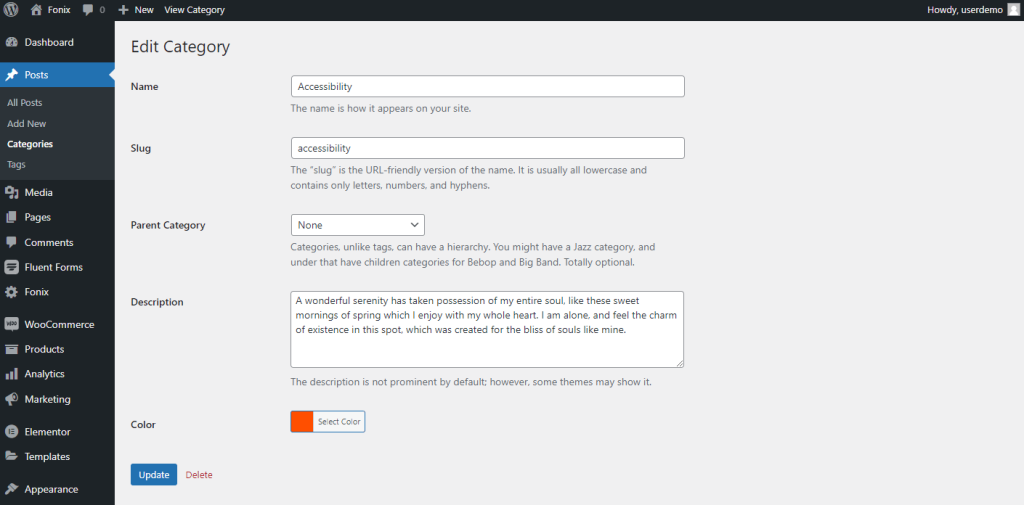
To assign a custom color to a category:
- Navigate to Posts → Categories.
- Edit the desired category.
- Locate the Category Color option.
- Choose your preferred color.
Using Category Colors
Once category colors are assigned, you can display them throughout the website in various ways.
Many Rivax post widgets and category widgets include a category multi-color option and you can enable the Multi Category Color feature for them.
The widget will then automatically use the custom color assigned to each category, creating a more visually organized and dynamic design.