Demo Installation
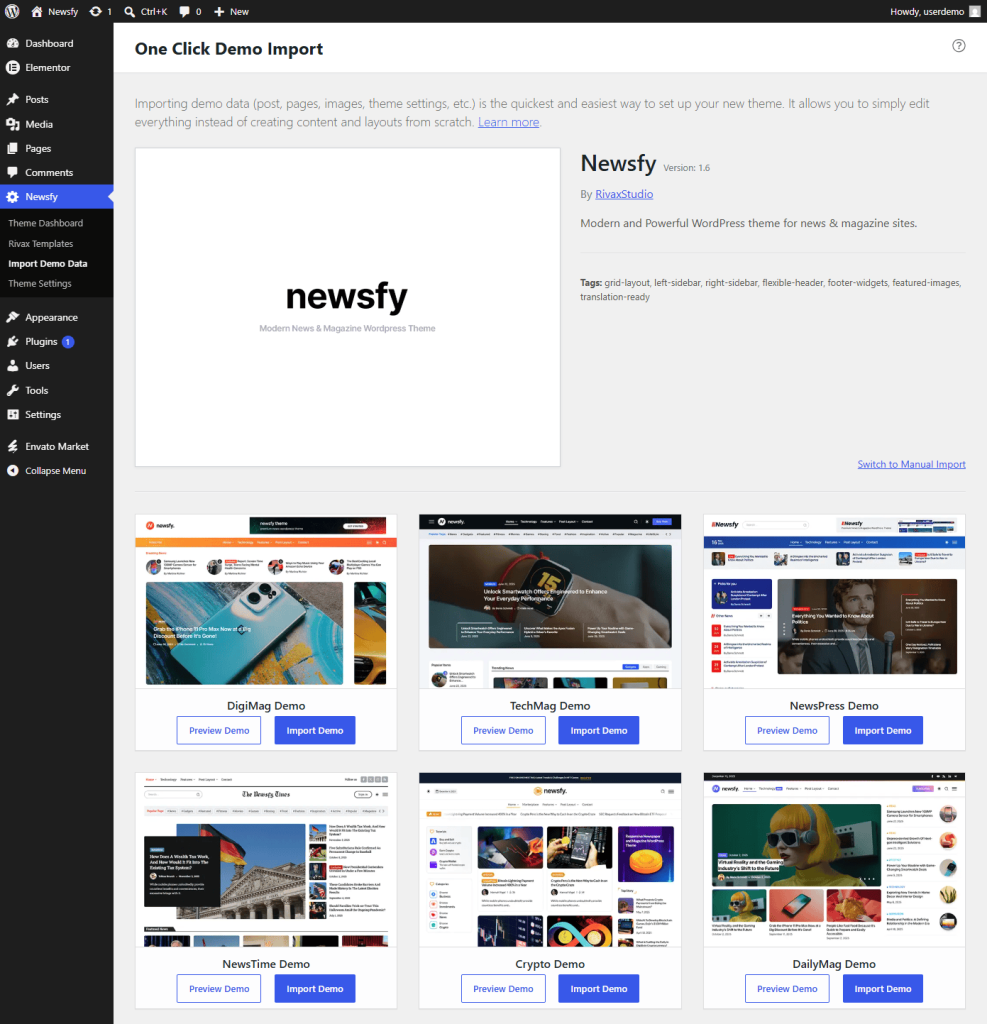
Our one-click demo importer allows you to import the demo website in just a few minutes. It imports the essential content, layouts, settings, widgets, and other demo elements, helping you get started quickly without building everything from scratch.
To import the demo content:
- Navigate to theme__name → Import Demo Data in your WordPress Dashboard.
- Click Import Demo Data.
- Wait for the importer to complete. Depending on your server speed and internet connection, this may take a few minutes.
Once the import is finished, your website will closely match the selected demo, allowing you to start customizing your content immediately.