Set up Archive Template
The theme allows you to create a fully custom archive template using Elementor. This template can be used for category archives, tag archives, author archives, and other archive pages.
If no custom archive template is assigned, the theme will automatically use its default archive layout.
To create the custom archive template, follow these steps:
- Navigate to Rivax Templates and create a new template or edit an existing one.
- You can find Rivax Widgets in the Elementor edit panel.
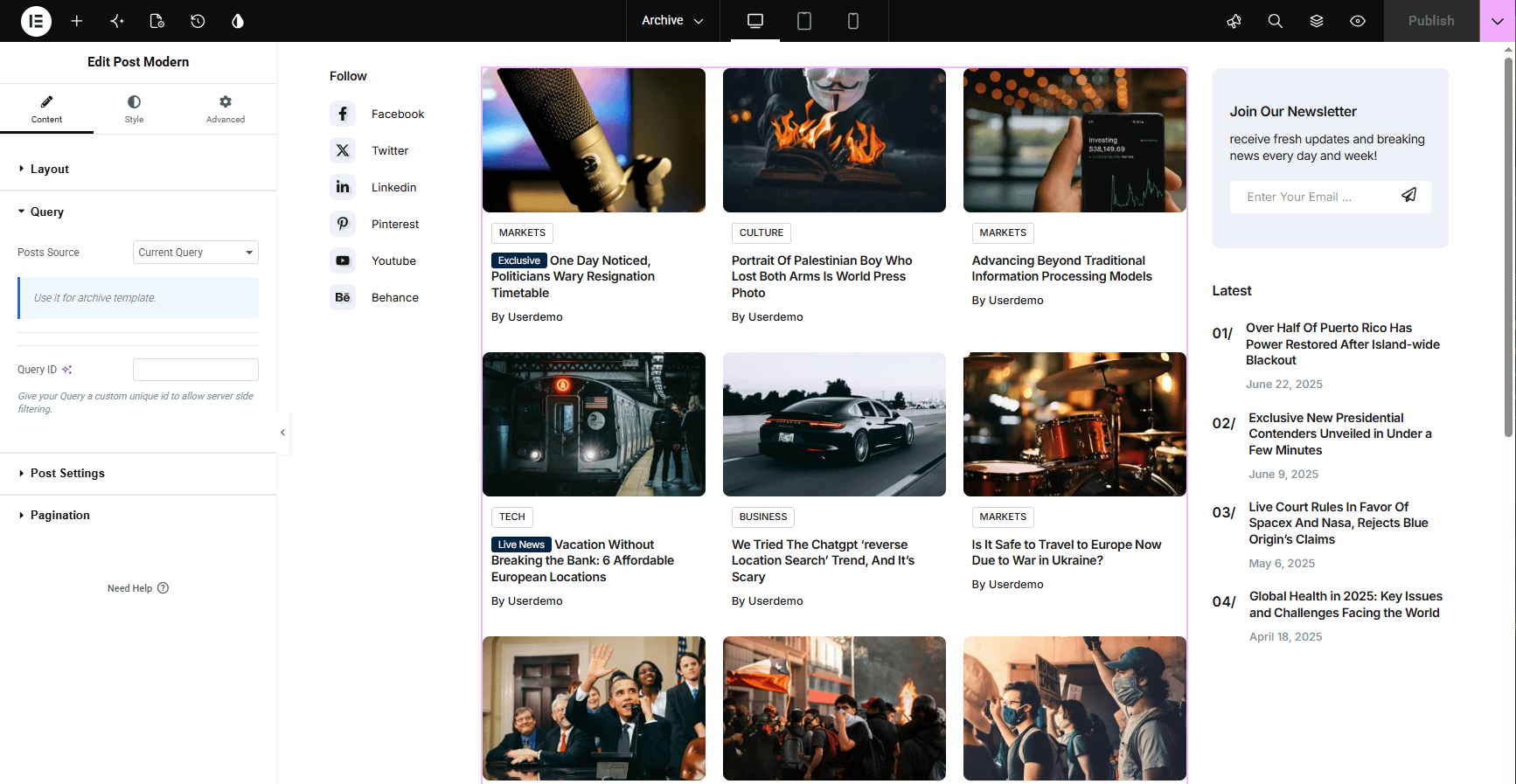
- Add a Rivax Post Widget to your page and configure it with your custom design. Don’t forget to enable pagination for it!
- In widget settings, go to the Query section, and set the Posts Source to Current Query.
- Create and design your template with Elementor. Also you can have a sidebar by dividing the section into 2 columns and putting the custom content in the sidebar column.
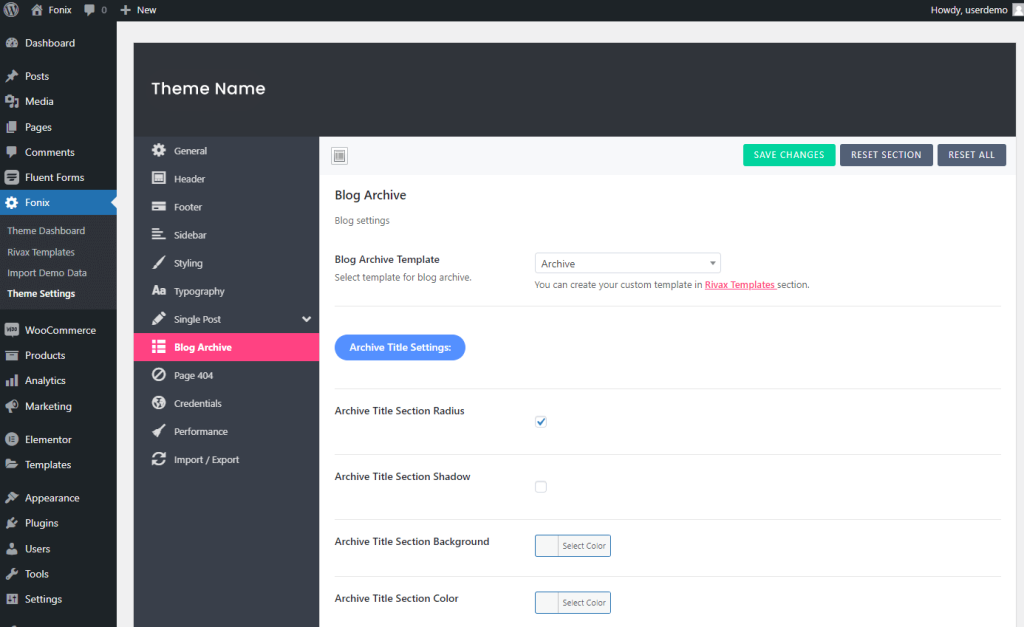
- Then go to Theme Settings and in the Blog Archive tab select your template in the Blog Archive Template section.