Set up Mega Menu
The theme includes built-in Mega Menu functionality, allowing you to create advanced dropdown menus with multiple columns or fully custom content. You can create a Mega Menu for any menu item in your header.
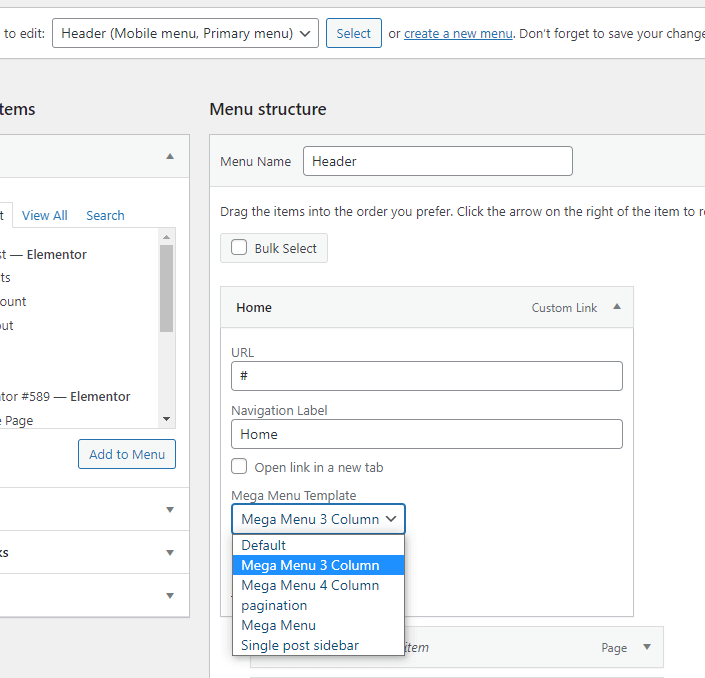
- Go to Appearance → Menus and edit your menu.
- Expand the menu item that should open the mega menu.
- In the Mega Menu Template section, you can select a Rivax Template as a mega menu, or simply select a 3- or 4-column mega menu.
In the Rivax Template, you can add recent posts of a category or any content.