Set up OffCanvas Menu
The theme includes a custom Offcanvas widget for Elementor, which allows you to display content inside a sliding panel. It is commonly used for mobile menus, vertical navigation menus, search forms, widgets, custom content, and other interactive elements.
Step 1: Create the Offcanvas Content
- Navigate to Rivax Templates.
- Click Add New and create a new template or edit an existing one.
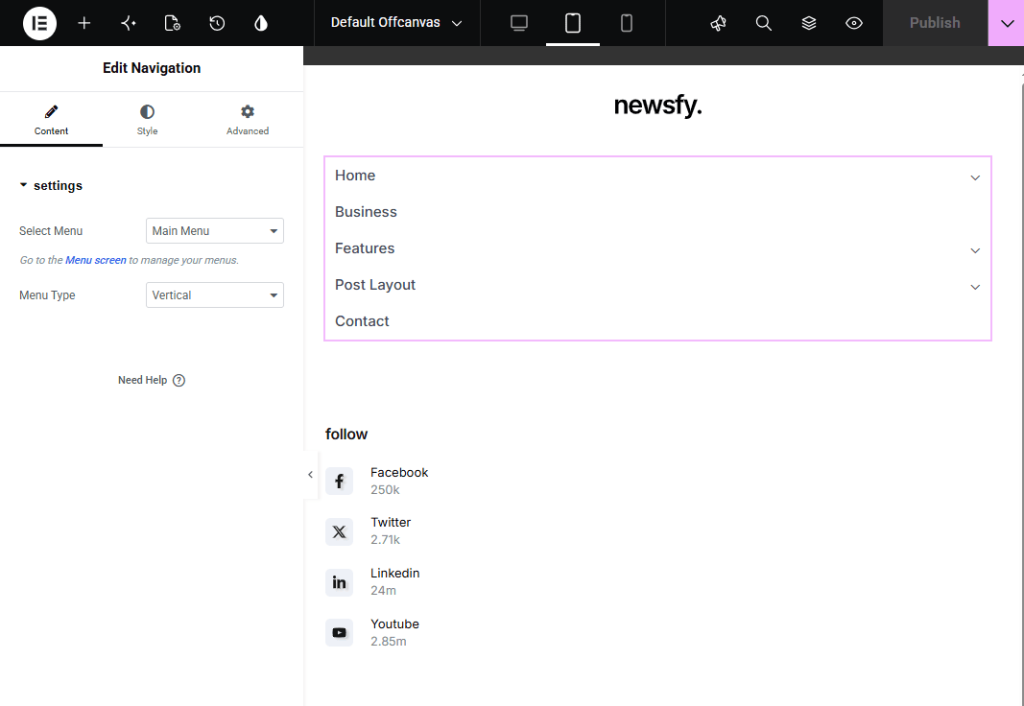
- Design the content you want to display inside the offcanvas panel.
- For a menu, simply add a Navigation widget and select your desired menu, and set its layout vertically.
- Publish the template.
Step 2: Add the Offcanvas Widget to Your Header
- Navigate to Rivax Templates.
- Edit your header template with Elementor.
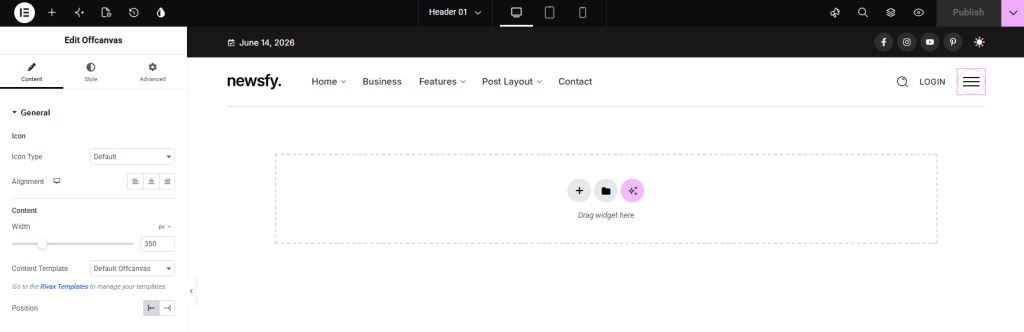
- Add or edit the Offcanvas widget to the header layout.
- In the widget settings, select the Rivax Template you created as the offcanvas content.
Using the Offcanvas Widget as a Mobile Menu
If you want the offcanvas menu to appear only on mobile devices:
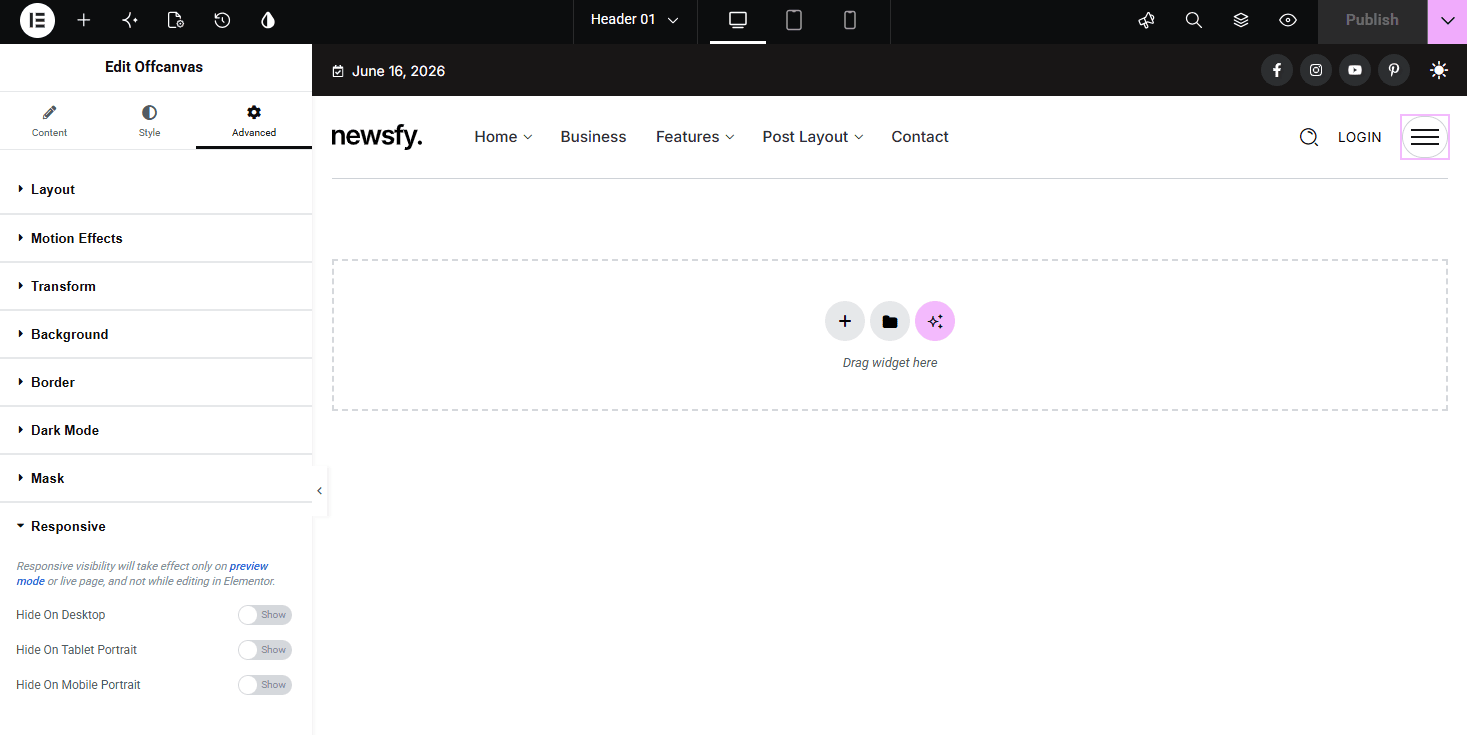
- Edit the Offcanvas widget in Elementor.
- Open the Advanced tab.
- Expand the Responsive section.
- Hide the widget on Desktop (and optionally on Tablet, depending on your design).
This allows you to use a traditional desktop navigation menu while displaying a dedicated offcanvas menu for mobile visitors.