Set up the Mobile Menu
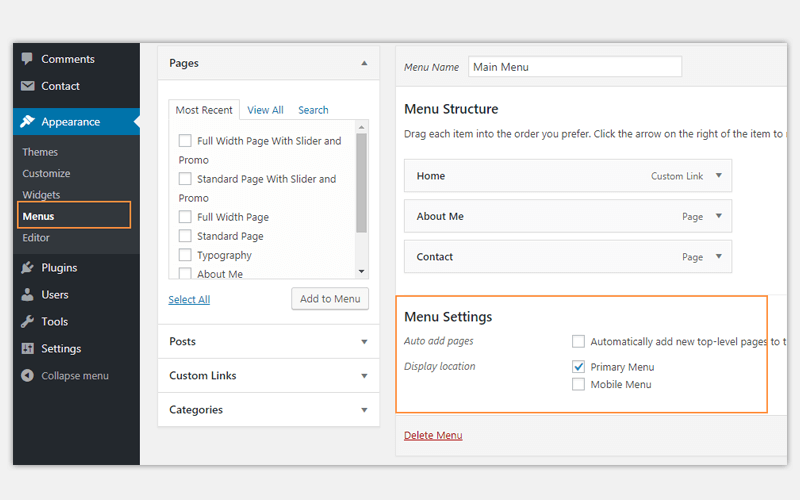
To manage the default mobile menu:
- Navigate to Appearance → Menus.
- Create a new menu by clicking Create a New Menu, or select an existing menu to edit.
- Add pages, posts, categories, or custom links to your menu.
- Arrange menu items using drag-and-drop.
- Scroll down and check the Mobile Menu location.
- Click Save Menu.