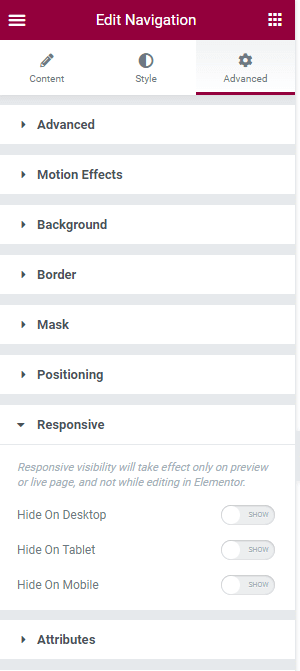
Set up the Navigation Menu
To create and manage your website menus:
- Navigate to Appearance → Menus.
- Create a new menu by clicking Create a New Menu, or select an existing menu to edit.
- Add pages, posts, categories, or custom links to your menu.
- Arrange menu items using drag-and-drop.
- Scroll down and check the Primary Menu location for the default header.
- Click Save Menu.
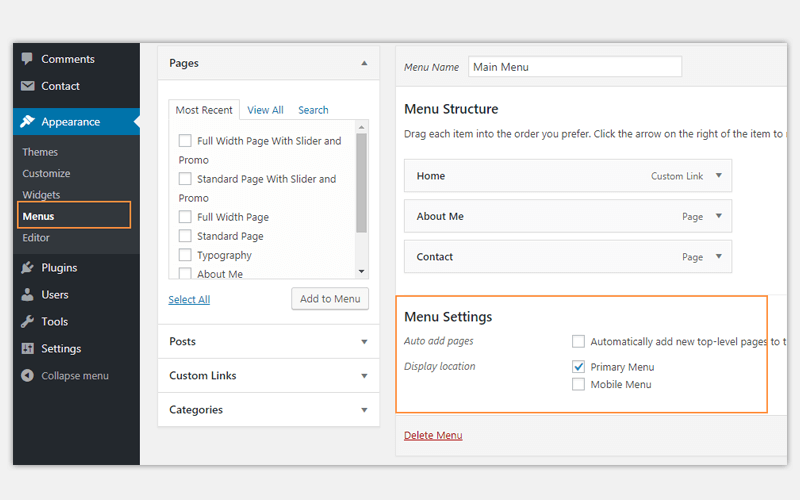
Using a Custom Menu in Elementor Header
Our theme uses Rivax Template for header layout, so you must choose a menu for the navigation widget within the header template using Elementor.
- Navigate to Rivax Templates.
- Edit your header template with Elementor.
- Add or edit the Navigation widget in the header.
- In the widget settings, select the desired WordPress menu.
Note: If you imported one of our demos, the header template may already contain a Navigation widget with a menu assigned. You can simply edit the widget and select a different menu if needed.
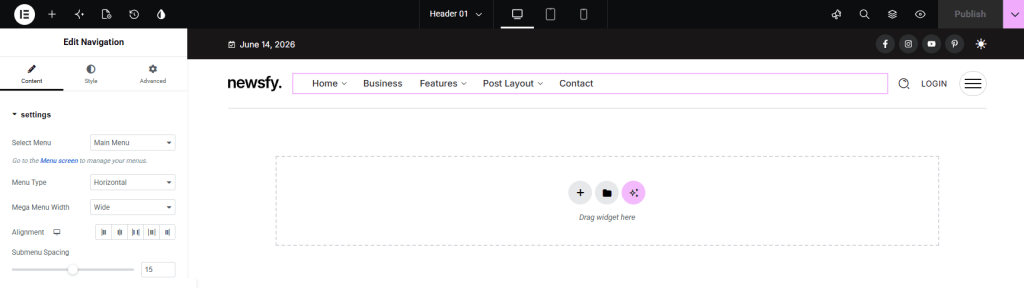
Note. If you have many items in the header menu, you should hide the menu on tablet and mobile for responsive design. In Elementor widget settings > Advanced > Responsive section, hide the widget on tablet and mobile.