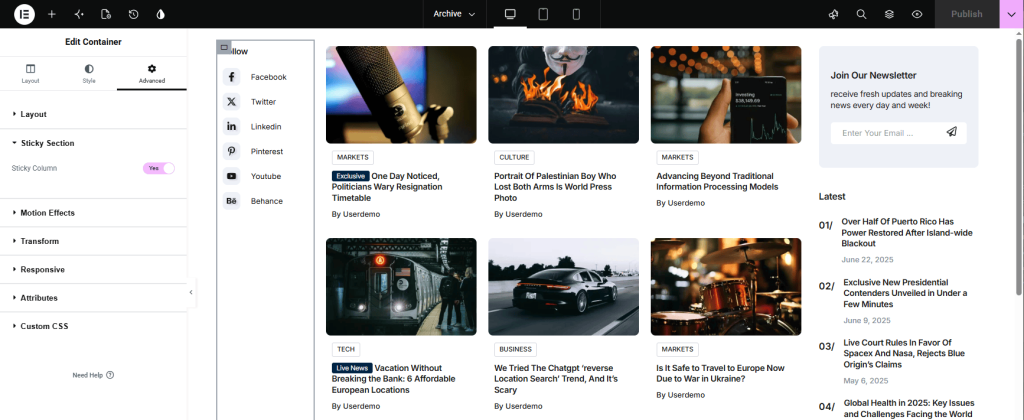
Sticky Sidebar
A sticky sidebar remains visible while visitors scroll down the page, making it ideal for displaying important content such as advertisements, recent posts, newsletter forms, or other widgets.
Enable Sticky Sidebar for the Default Theme Sidebar
To enable Sticky Sidebar for the default sidebar, simply go to Theme Settings in the General tab and enable Sticky Sidebar.
Enable a Sticky Sidebar in Elementor
If you are creating a custom layout with Elementor, you can make any column sticky.
- Edit your page or template with Elementor.
- Create a section with two columns (one for the main content and one for the sidebar).
- Click on the sidebar column to edit it.
- Edit this column and in the Advanced tab go to the Rivax Sticky section and enable Sticky Column.