Theme Installation
There are three ways to install the theme. Once installed, you can build your website from scratch or quickly replicate our demo site by importing the demo content.
First, download the zipped theme package from ThemeForest and extract it to a folder on your computer. Inside the extracted package, you’ll find the installable theme ZIP file (theme__name.zip).
1. Upload Theme via the WordPress admin panel
- Log in to your WordPress admin panel
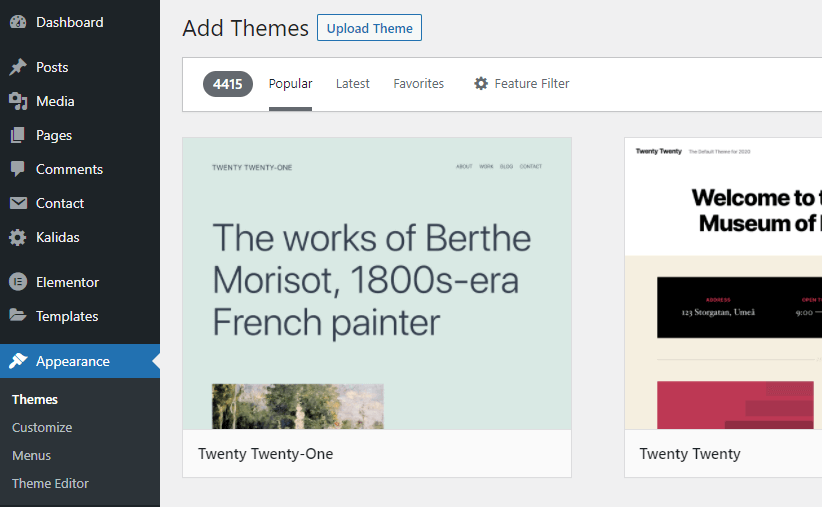
- Click on Appearance -> Themes
- Now click on the Add New button.
- Click on the “Upload Theme” button, “Browse” for the zipped theme file (theme__name.zip) in the extracted folder and select it.
- Click the “Install Now” button.
- Activate the theme from this page, OR “Return to Themes Page” and activate from there.
2. Upload Theme via FTP
- Connect to your FTP using FTP software, for example, Filezilla.
- Upload the extracted theme folder (theme__name) into the wp-content/themes directory provided by WordPress.
- Log in to your WordPress admin panel
- Go to Appearance > Themes, and activate the Theme.
3. Upload Theme via hosting control panel (Cpanel for example)
- Go to your hosting control panel (Cpanel for example) and then go to the file manager
- Go to the WordPress installation path.
- Upload the zipped theme file (theme__name.zip) into the wp-content/themes directory and extract it there.
- Log in to your WordPress admin panel
- Go to Appearance > Themes, and activate the Theme.