Translating the Theme
Our theme is fully translatable and you can translate it into any language.
Method 1. Using PoEdit Software
- Install PoEdit software on your computer.
- Open theme__name.pot file located in theme__name/languages folder via Poedit.
- Click on Create New Translation at the bottom of the application.
- Select the language that you want, for example: french.
- Use the translation field to make replacements.
- When you are ready, go to File -> Save as, then save the file with your WordPress locale code inside theme__name/languages folder. Example: if you are working with a french WordPress installation your file name will be fr_FR.po
- Go to your server via FTP, and upload both .po & .mo language files into your theme (located at wp-content/themes/theme__name/languages).
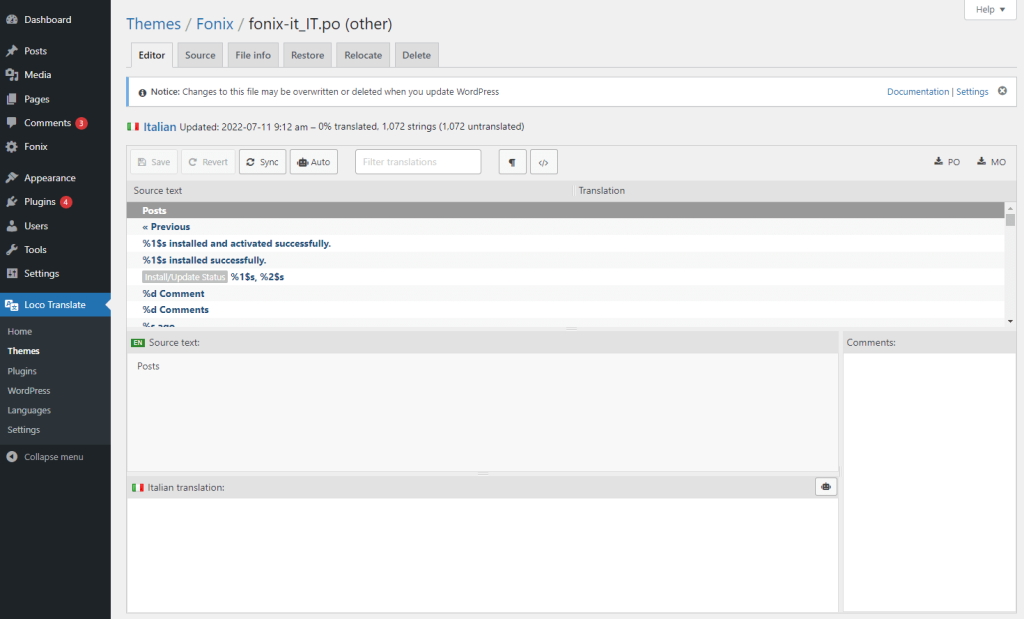
Method 2. Using Loco Translate Plugin
- Install the Loco Translate plugin through your wordpress.
- Go to Loco Translate > Themes and select your theme.
- Click on New language.
- Start translating it.